 Wordcue
Captions that pop, made on your PC.
Wordcue writes word-by-word captions for DaVinci Resolve, free or Studio. Drop the transparent layer on V2. $29 once.
Resolve 21.1 broke your caption script? This isn't one.
The free version of Resolve lost Python scripting in 21.1, and a lot of caption tools stopped working with it. Wordcue runs on its own and hands Resolve an ordinary .mov with a transparent background, so a Resolve update can't break it.
Eight looks to start from.
Every style highlights each word as it's spoken. Change the font, colours, size, position and pop to fit your brand.

Montserrat Black, yellow on the spoken word.
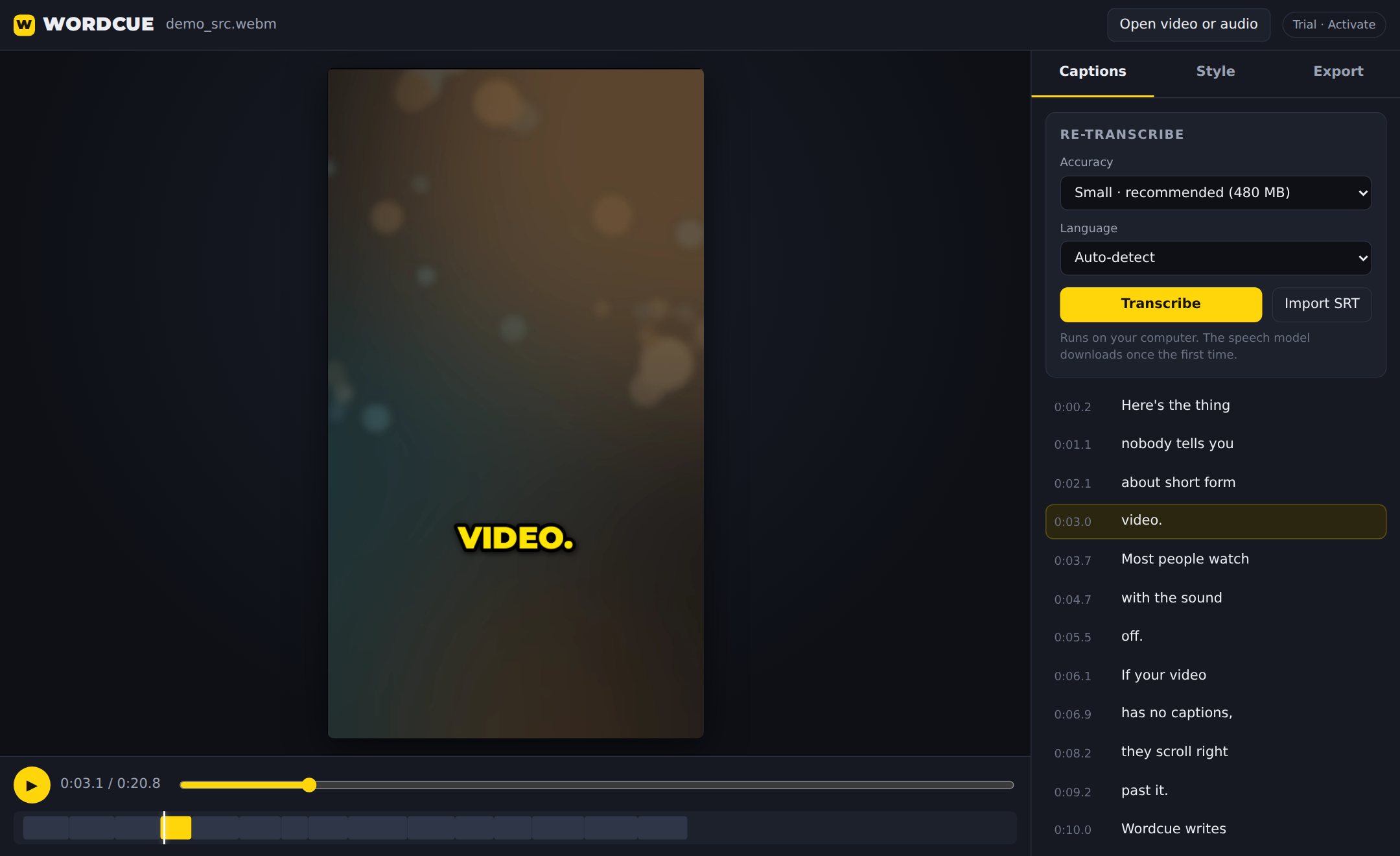
From clip to captions in about a minute.
Transcribe
Open an MP4, MOV, MKV or audio file. Wordcue times every word on your own computer.
Fix and style
Click any line to correct a name, then pick a look and watch it on your clip.
Export
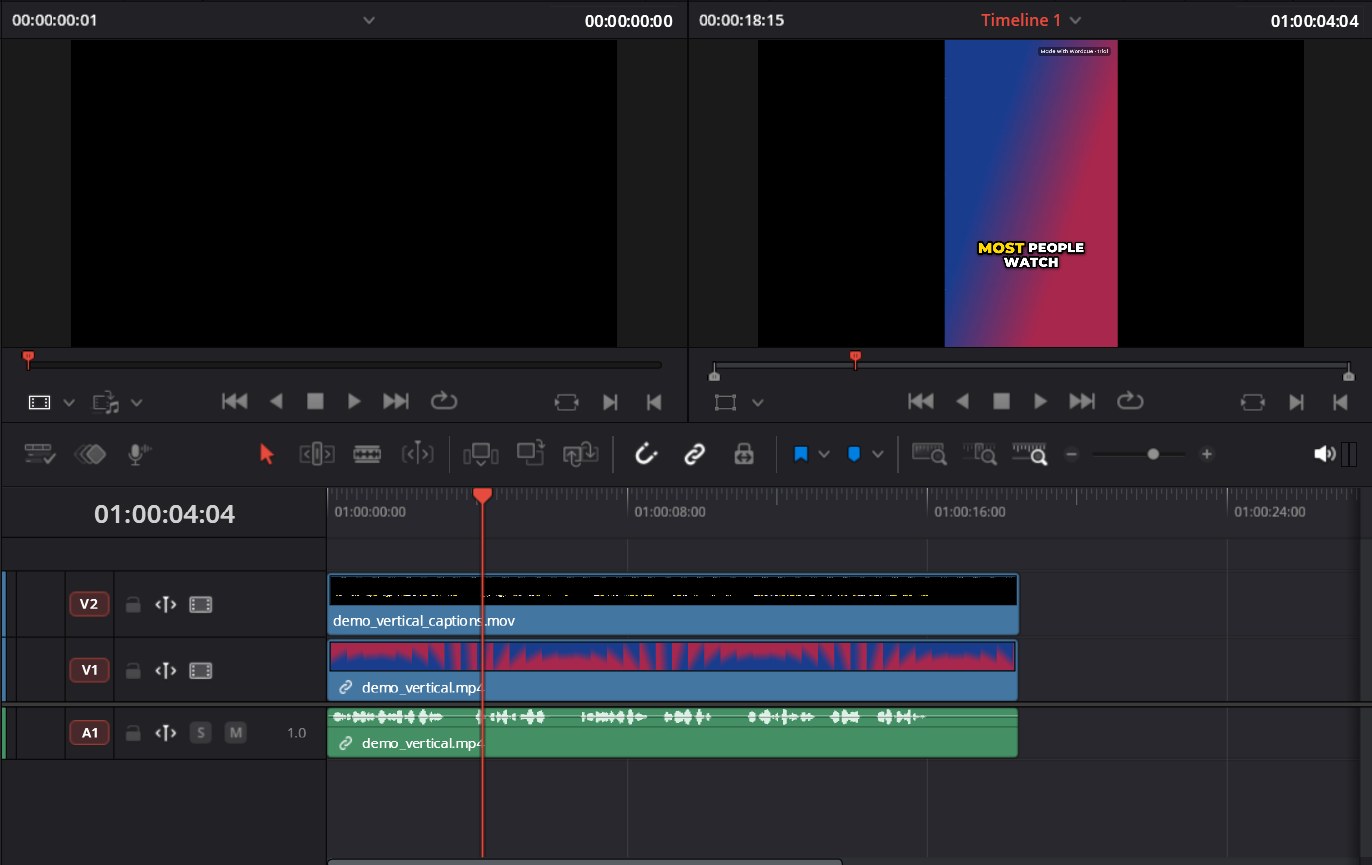
Save a transparent ProRes 4444 file and place it on the track above your clip.
Works with the editor you already use.
Into your editor
- ProRes 4444 .mov
- Transparent. Best for Resolve, Premiere Pro and Final Cut.
- Animation .mov
- A smaller transparent file for Premiere and After Effects.
- PNG sequence or WebM
- For CapCut, OBS and anything that reads image sequences.
Straight to posting
- Burned-in MP4
- Your video with the captions baked in, ready for Reels and TikTok.
- SRT subtitles
- For YouTube or your editor's subtitle track.
On your terms
- Offline and private
- No account, no uploads, no credits. Footage stays on your PC.
- Any frame size
- 9:16, 16:9, 1:1, 4:5 and 4K, matched to your timeline.
- Many languages
- Auto-detects the language, or choose it yourself.
Pay once. Keep it.
Wordcue license
- No watermark on anything you export
- Use it on up to 3 of your computers
- Free updates for version 1
- Email support from the person who built it
Free trial
Every feature, no time limit. Exports carry a small “Made with Wordcue” mark until you buy.
Download free trialWindows 10 and 11. Mac version in progress.
Questions
Does it work with the free version of DaVinci Resolve?
Yes. We tested it in free DaVinci Resolve 20. Wordcue doesn't use Resolve's scripting, so the 21.1 change doesn't affect it. Resolve just plays the video file it makes.
How do I line the captions up with my clip?
Set Wordcue's output size to match your timeline, then place the exported .mov on the track above your clip, starting on the same frame.
Is my video uploaded anywhere?
No. Transcription runs on your own computer. The first time, Wordcue downloads a speech model once (about 150 to 500 MB, depending on the accuracy you pick). After that it works offline.
Do I need a GPU?
No. It runs on your processor. A one-minute clip usually takes seconds to tens of seconds, depending on your PC and the accuracy setting.
Windows says “Windows protected your PC”. Is that normal?
Yes. New apps from small developers show this until they build up a reputation with Microsoft. Click “More info”, then “Run anyway”.
Is there a Mac version?
It's in progress. A license you buy now will work on the Mac version when it's released.
What if it doesn't work on my computer?
Try the free trial first, since it has every feature. If you buy and it still doesn't work, email pixelturn@gmail.com within 14 days for a full refund.